Bureau Foundations Demonstration
Read, redact and sign PDFs without leaving your computer.
Open PDFs, remove sensitive content from a saved copy, and sign with your organization’s certificate. Nothing is uploaded.
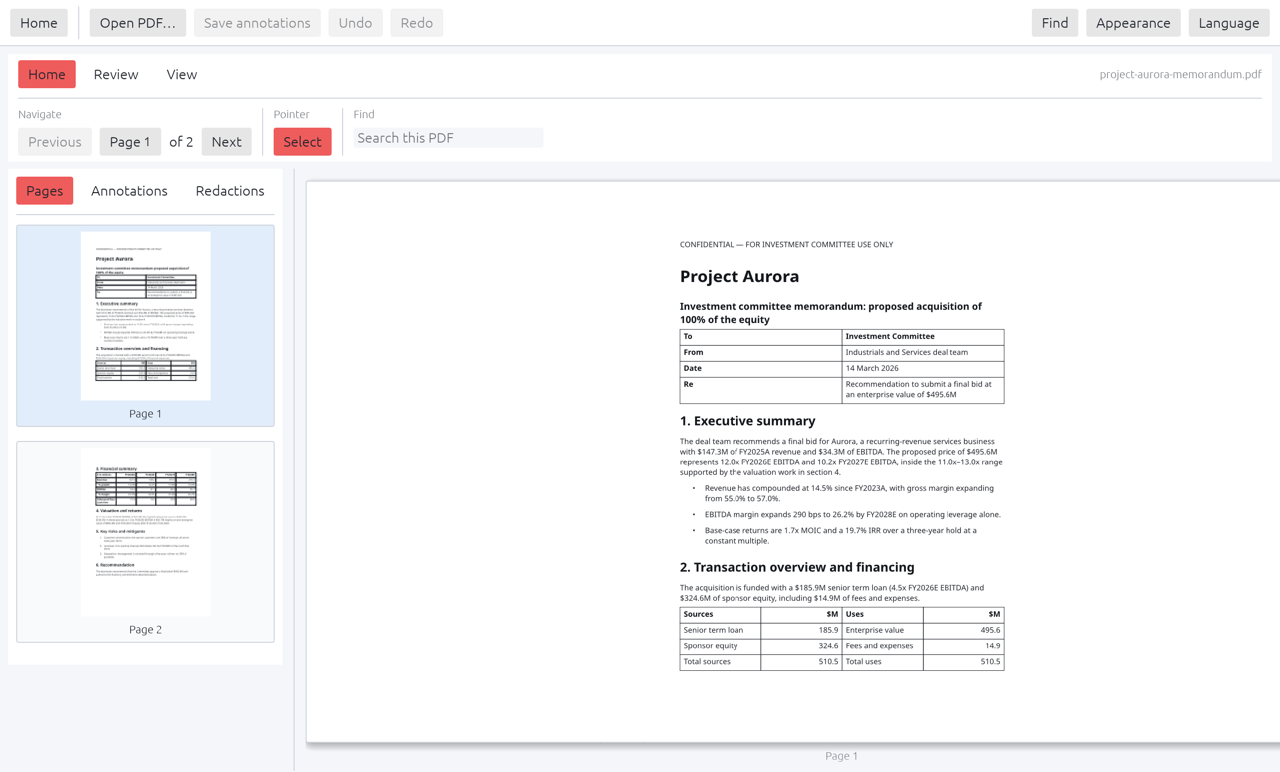
- Reads PDF
- Real redaction
- Digital signing
- Shows signature status
Made for documents that matter.
Reads PDFs
Open a PDF and read it, search it and move through it quickly.
Redaction that removes
Save a redacted copy in which the covered text is removed from the file, not just drawn over.
Says no when it must
If a redaction cannot be made safely, as with rotated pages, inline images or partial overlaps, Reader refuses instead of guessing.
Signs documents
Sign with RSA-2048 and PKCS#7 using your organization’s certificate.
Verifies on open
When you open a signed file, an indicator shows whether the signature holds.
Stays local
Files are handled on your computer and never uploaded.
Specifications
Redaction on a copy
Reader writes redaction to a new file with Save As, so the original stays untouched.
- Covered text is removed from the saved copy
- Refuses cases it cannot do safely
- Signing uses RSA-2048 and PKCS#7
At a glance
- Reads
- Redaction
- Save As copy, with content removed
- Signing
- RSA-2048, PKCS#7
- Platform
- Desktop, macOS and Windows
- Network
- None
Questions
Is a redacted file really clean?
Reader removes the covered content from the copy it saves and refuses pages where it cannot do that reliably. Check the result before you share it.
Whose certificate signs?
Your organization’s. You bring the certificate and Reader signs with it.
Does it need the internet?
No.
See Reader on your own PDFs.
Bring a document you need to redact or sign.